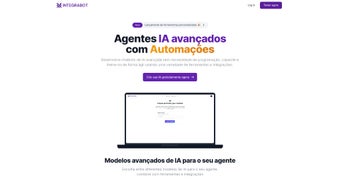

Download IntegraBot – AI Chatbot Builder, No‑Code, Secure & Scalable
Overview
IntegraBot is a cloud‑native, no‑code chatbot creation platform that empowers businesses to design, train, and deploy AI‑driven conversational agents without writing a single line of code. Built for speed and flexibility, IntegraBot integrates the most powerful large‑language models on the market—including GPT‑3.5 Turbo 16k, GPT‑4, Mistral AI, and Anthropic’s Claude‑3—so users can select the engine that best matches their budget and performance requirements. The platform shines in customer‑support and sales‑automation scenarios, letting teams pull data directly from internal databases, CRM systems, or third‑party APIs to provide hyper‑personalized answers.
Whether you need a simple FAQ bot for a website or a complex, multi‑channel virtual assistant that talks on WhatsApp, Slack, and custom webhooks, IntegraBot offers a visual drag‑and‑drop interface, real‑time testing sandbox, and version control for continuous improvement. Security and compliance are baked in: all data at rest is encrypted with AES‑256, and the service complies with GDPR, LGPD, and industry‑standard privacy practices. For organizations looking for a scalable, secure, and future‑proof chatbot solution, IntegraBot delivers a full‑stack toolset that turns conversational AI from a research project into a production‑ready business asset.
The intuitive UI, combined with enterprise‑grade security, makes it possible for marketing teams, support agents, and developers to collaborate on the same bot without stepping on each other’s toes, ultimately shortening the time‑to‑value and reducing operational overhead.
Key Features of IntegraBot
- Multi‑model support: GPT‑4, GPT‑3.5 Turbo 16k, Mistral AI, Claude‑3.
- Zero‑code builder with drag‑and‑drop conversation flow editor.
- Database connectors for MySQL, PostgreSQL, MongoDB, and cloud data warehouses.
- Native API integration for seamless embedding into websites, mobile apps, and SaaS platforms.
- Channel‑agnostic deployment: web widget, WhatsApp Business API, Telegram, Slack, and custom webhooks.
- Advanced tool integrations: JavaScript snippets, server‑side webhook triggers, and scheduled automations.
- Robust security: AES‑256 encryption, role‑based access control, and audit logs.
- Compliance ready: GDPR, LGPD, and ISO‑27001 aligned data handling.
- Real‑time analytics dashboard with conversation metrics, sentiment analysis, and conversion tracking.
- Auto‑scaling infrastructure that handles spikes without manual intervention.
Each feature is designed to reduce friction for non‑technical users while still giving developers the hooks they need for deep customization. The visual flow editor lets you map out intents, entities, and conditional logic in minutes, whereas the API layer offers full RESTful control for developers who want to programmatically create or update bots. The analytics suite provides actionable insights that help you fine‑tune prompts, improve response accuracy, and ultimately boost customer satisfaction and sales conversion rates. With these capabilities bundled into a single, cloud‑hosted app, IntegraBot eliminates the need for multiple disparate tools, saving time, money, and operational overhead. Moreover, the platform’s modular architecture means you can start with a basic FAQ bot and evolve it into a sophisticated, AI‑powered sales assistant as your business grows, all without migrating to a new system.
Installation & Usage Instructions
Getting Started – No Download Required
Because IntegraBot is a web‑based SaaS solution, there is no traditional download or installation process. Simply navigate to integrabot.com, click the “Sign Up Free” button, and create an account using your business email. After email verification, you’ll be taken to the dashboard where you can start building your first chatbot instantly. The onboarding wizard walks you through model selection, knowledge‑base connection, and channel activation in under ten minutes, so you can see a working bot on a demo page before the day ends.
Step‑by‑Step Bot Creation
- Select an AI model: Choose from GPT‑4, GPT‑3.5 Turbo 16k, Mistral AI, or Claude‑3 based on your performance and cost preferences.
- Define your knowledge base: Connect to your CRM, ERP, or custom database using the built‑in connectors. Map fields you want the bot to access, such as order status, product catalog, or user profile.
- Design conversation flows: Drag and drop intents, add user utterances, set up conditional branches, and attach response templates. Use the live preview to test interactions in real time.
- Integrate channels: Enable the web widget, generate a WhatsApp Business API token, or configure a webhook URL to embed the bot into your existing platform.
- Set up automation: Add JavaScript snippets or schedule cron‑style tasks to trigger follow‑up messages, send email notifications, or log interactions to an external system.
- Publish and monitor: Click “Deploy”, and your bot goes live instantly. Use the analytics dashboard to monitor usage, identify drop‑off points, and refine prompts.
For teams that prefer on‑premise control, IntegraBot offers a Docker image that can be deployed behind your firewall. The image includes all runtime dependencies and can be pulled from Docker Hub with a single docker pull integrabot/app command. Detailed deployment guides for Windows Server, macOS, and Linux are available in the “Resources” section of the dashboard. When running locally, you can set environment variables such as INTEGRABOT_API_KEY, DB_CONNECTION_STRING, and SSL_CERT_PATH to match your internal security policies. The container exposes port 8080 by default and supports graceful shutdown, health‑check endpoints, and automatic log rotation, ensuring a production‑grade experience even without the cloud.
Compatibility, Pros & Cons
IntegraBot runs entirely in the browser, making it compatible with any modern operating system that supports HTML5 and JavaScript. Whether you’re on Windows 10/11, macOS Ventura, Linux distributions, or mobile platforms like Android 9+ and iOS 14+, you can access the full feature set from Chrome, Edge, Safari, or Firefox. For developers who need a local development environment, the optional Docker container works on Windows, macOS, and Linux hosts, providing a consistent experience across all platforms. The web UI is responsive, so you can design and test bots on tablets or large‑screen laptops without losing functionality. In addition, the platform’s SDKs for iOS and Android let you embed the bot directly into native mobile applications, preserving the same security guarantees as the web version.
Pros
- Zero‑code interface reduces time‑to‑market from weeks to hours.
- Supports the latest AI models, giving you flexibility to choose performance vs. cost.
- Robust security with AES‑256 encryption and comprehensive compliance certifications.
- Multi‑channel deployment out‑of‑the‑box (web, WhatsApp, Slack, custom webhooks).
- Scalable cloud infrastructure eliminates the need for capacity planning.
- Extensive analytics help you continuously improve bot effectiveness.
- Dockerized on‑premise option for organizations with strict data‑ residency requirements.
- Comprehensive documentation, video tutorials, and community forums accelerate learning.
Cons
- Advanced customizations still require basic scripting knowledge.
- Pricing tiers can become expensive for high‑volume usage of premium models like GPT‑4.
- While the platform is web‑based, offline access is limited to the Docker version.
- Initial learning curve for non‑technical users unfamiliar with conversational design.
- Some niche channel integrations (e.g., Microsoft Teams) require additional configuration steps.
Overall, the advantages of rapid development, strong security, and cross‑platform accessibility outweigh the minor drawbacks. Organizations that invest in a short onboarding period for their staff typically see a rapid ROI through reduced support tickets and higher conversion rates. The ability to switch between AI models on the fly also means you can start with a cost‑effective engine and upgrade to a more powerful one as your traffic grows, preserving budget flexibility.
Frequently Asked Questions
Is there a free version of IntegraBot?
Yes. IntegraBot offers a free tier that includes access to GPT‑3.5 Turbo, up to 1,000 monthly interactions, and basic web widget deployment. This plan is ideal for startups and small teams wanting to test the platform before committing to a paid subscription.
Can I integrate IntegraBot with my existing CRM?
Absolutely. IntegraBot provides native connectors for popular CRMs such as Salesforce, HubSpot, and Zoho, as well as generic database connectors (MySQL, PostgreSQL, MongoDB). You can map fields directly to bot intents to deliver personalized customer experiences.
How does IntegraBot ensure data privacy?
All data at rest is encrypted with AES‑256, and data in transit uses TLS 1.3. The platform is GDPR and LGPD compliant, offering data‑subject request tools, regional data residency options, and detailed audit logs for regulatory reporting.
What channels can I deploy my bot on?
IntegraBot supports web widgets, WhatsApp Business API, Telegram, Slack, Microsoft Teams, and custom webhooks. You can also embed the bot in mobile apps (iOS/Android) using the provided SDKs.
Is there a way to export my chatbot data?
Yes. All conversation logs, training data, and configuration files can be exported in JSON or CSV format via the dashboard or through the API for backup and migration purposes.
Conclusion – Ready to Transform Your Customer Interactions?
IntegraBot delivers a compelling mix of accessibility, power, and security that makes it one of the most complete AI chatbot builders on the market today. Its no‑code interface lowers the barrier for business users, while the support for leading LLMs, API integrations, and multi‑channel deployment satisfies the needs of developers and enterprises alike. Security‑first architecture, GDPR/LGPD compliance, and AES‑256 encryption give peace of mind when handling sensitive customer data. Whether you’re looking to automate FAQ handling, create a sales‑driven lead qualification bot, or build a full‑featured virtual assistant across web, mobile, and messaging platforms, IntegraBot equips you with the tools to launch quickly, iterate intelligently, and scale effortlessly.
If you’re ready to boost response times, cut support costs, and deliver personalized experiences at scale, sign up for the free trial today. Experience the power of next‑generation conversational AI without writing a single line of code, and watch your business operations become more efficient, secure, and customer‑centric. The combination of rapid prototyping, deep analytics, and enterprise‑grade security ensures that your investment pays off quickly and continues to generate value as your bot evolves.



.png)



